
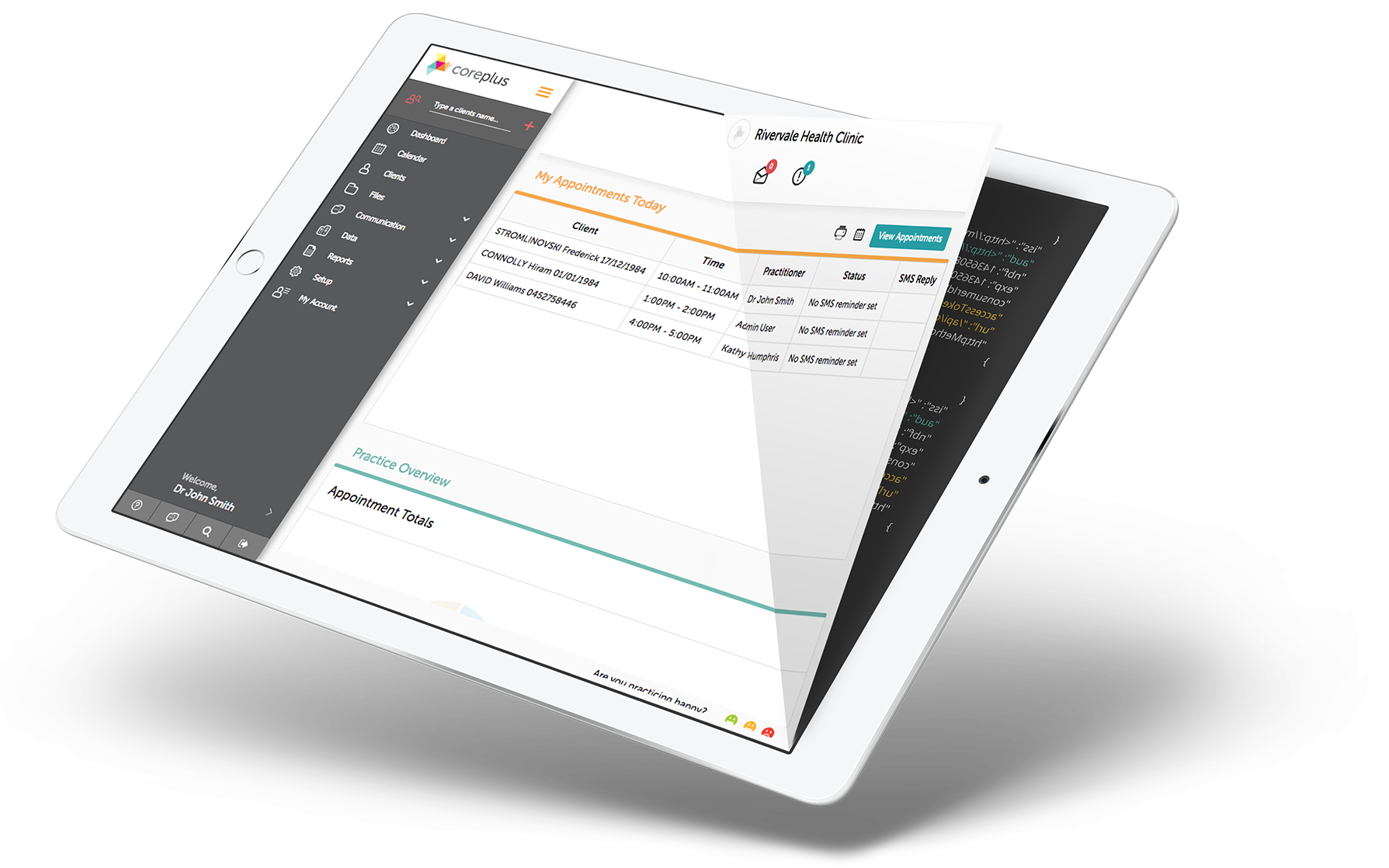
coreplus API

The coreplus API provides access to appointment booking related end points, such as clients, practitioners, availability slots and appointments. It is a RESTful API, which utilises the HTTP verbs for creating viewing objects.

If you are a developer looking to create an external consumer server to server application for your coreplus clients, then by signing up for a sandbox account you will get access to your own trial coreplus account on our sandbox server with authorisation credentials.

If you have any questions regarding the API documentation, please do not hesitate to contact us at integrations@coreplus.com.au

Get List of Clients

Client List API implementation guide (v2.1)

The client-list endpoint now supports three paging modes on the same resource. Existing legacy requests remain supported, while cursor and delta paging provide the recommended high-performance path for synchronisation integrations.

  • Legacy offset paging — retained for backward compatibility and filtered, user-driven searches.
  • Full cursor paging — recommended for retrieving every active client for a customer.
  • Delta paging — recommended after the initial full sync; returns subsequent changes and deletion tombstones.

For a synchronisation integration: run one full cursor traversal, capture its UTC start time, run delta from that time to collect changes made during the full traversal, then continue polling with delta and a safely committed UTC watermark. Keep legacy paging only for workflows that need client search filters.

Endpoint and environments

GET /API/Core/v2.1/client/

Environment Endpoint
Sandbox https://sandbox.coreplus.com.au/API/Core/v2.1/client/
Production https://api.coreplus.com.au/API/Core/v2.1/client/

Use HTTPS and keep consumer credentials and JWT generation in server-side code. Do not expose them in browser or mobile applications.

Authentication: sign the exact request URL

Authorization: JwToken <signed-jwt>
content-type: application/json

Use the existing coreplus HS256 JWT scheme and include the standard claims such as consumerId, accessToken, url, httpMethod, iss, aud, nbf and exp. Retain the issuer and audience values supplied during onboarding or already used by your working integration.

The JWT url claim must match the final request URL, including its encoded query string. Because a cursor changes the URL on every page, generate a fresh short-lived JWT for every page and retry:

  1. Build the complete URL with final, URL-encoded query parameters.
  2. Put that exact URL in the JWT url claim and set httpMethod to GET.
  3. Sign a new short-lived JWT.
  4. Send the already-built URL without changing its parameter order or encoding.

This applies to opaque cursor values, repeated Field parameters, an empty after= parameter, and retries after Retry-After. Never log JWTs, secrets, access tokens, cursor values or client payloads.

Choose the correct paging mode

Mode First request Continuation Use it for
Legacy offset pageNumber=1&pageSize=100 Increment pageNumber Filtered searches, interactive lists and compatibility
Full cursor after=&take=100 cursor=<nextCursor>&take=100 Complete active-client synchronisation
Delta modifiedSince=<UTC>&take=100 cursor=<nextCursor>&take=100 Incremental updates and deletions

Parameter presence selects the mode: cursor selects continuation, modifiedSince starts delta, and after starts full cursor paging. Without those parameters, the endpoint uses legacy paging. Do not mix paging modes or combine search filters with cursor/delta paging. Field is response selection and is supported in all modes.

Old and new requests

Operation Legacy request Recommended request
Full retrieval, first page ?pageNumber=1&pageSize=100 ?after=&take=100
Full retrieval, continuation ?pageNumber=2&pageSize=100 ?cursor=<nextCursor>&take=100
Incremental retrieval ?updatedSince=2026-10-01T00%3A00%3A00Z&pageNumber=1&pageSize=100 ?modifiedSince=2026-10-01T00%3A00%3A00Z&take=100

Legacy responses use clients, paging and statusMessages. Cursor/delta responses use clients, nextCursor, count and totalCount. Cursor ordering differs from legacy alphabetical ordering, so validate migrations by comparing complete sets of clientId values after both traversals finish—not individual pages.

Legacy offset paging and filtered search

Legacy paging remains supported and is the correct mode for filtered searches:

GET https://api.coreplus.com.au/API/Core/v2.1/client/?pageNumber=1&pageSize=100
{
  "clients": [{
    "clientId": "<client-guid>",
    "firstName": "Example",
    "lastName": "Client",
    "dateOfBirth": "1990-01-01T00:00:00"
  }],
  "paging": {"totalRows": 1, "pageNumber": 1, "pageSize": 100},
  "statusMessages": []
}

The default pageSize is 50 and the maximum is 100. Existing search parameters such as name, DateOfBirth, mobile, email and medicare remain on legacy offset requests:

GET https://api.coreplus.com.au/API/Core/v2.1/client/?name=Example&mobile=0400000000&pageNumber=1&pageSize=50

The existing updatedSince parameter also remains in legacy mode and returns the legacy response envelope. It does not provide deletion tombstones. New polling integrations should use delta paging.

Full cursor paging

Use full cursor paging to retrieve all active clients. Soft-deleted clients are excluded. The server resumes from a stable client key rather than repeatedly skipping all preceding offset rows.

Start the traversal

GET https://api.coreplus.com.au/API/Core/v2.1/client/?after=&take=100

The after parameter must be present. Some HTTP libraries remove blank query parameters; if yours does, use after=0:

GET https://api.coreplus.com.au/API/Core/v2.1/client/?after=0&take=100

take must be between 1 and 100. Use 100 for normal synchronisation.

Example response

{
  "clients": [
    {
      "clientId": "<client-guid-a>",
      "firstName": "Example",
      "lastName": "One"
    },
    {
      "clientId": "<client-guid-b>",
      "firstName": "Example",
      "lastName": "Two"
    }
  ],
  "nextCursor": "<opaque-cursor-token>",
  "count": 2,
  "totalCount": 250
}

Continue the traversal

Copy nextCursor exactly. Do not decode, inspect, edit, construct, trim or concatenate it. Let your HTTP library URL-encode it as a query value:

GET https://api.coreplus.com.au/API/Core/v2.1/client/?cursor=<url-encoded-nextCursor>&take=100

Build the complete continuation URL first and sign a new JWT for that exact URL. If additional fields were requested on page one, repeat the identical Field parameters on every continuation page:

GET https://api.coreplus.com.au/API/Core/v2.1/client/?cursor=<url-encoded-nextCursor>&take=100&Field=email&Field=phonenumbermobile

Finish the traversal

The final page has nextCursor: null:

{
  "clients": [{
    "clientId": "<client-guid-c>",
    "firstName": "Final",
    "lastName": "Client"
  }],
  "nextCursor": null,
  "count": 1,
  "totalCount": 250
}

Stop only when nextCursor is null. Do not infer completion from count < take, page arithmetic or totalCount. The data is live rather than a database snapshot, so totalCount can change when clients are created or deleted during a traversal. It is suitable for progress reporting, not a completion signal.

Cursor security and scope

  • Cursors are opaque and signed by coreplus.
  • They are bound to the authenticated customer.
  • A modified cursor or one used with a different customer is rejected.
  • Keep cursor and sync state separate for every customer/access-token context.
  • Do not log cursors or exchange them between customers.

Operational behaviour

Concern Legacy offset Full cursor
Continuation Increment page number Copy nextCursor
Ordering Alphabetical client ordering Internal stable client-key ordering
Completion Page arithmetic using paging nextCursor is null
Deleted clients Excluded Excluded
Search filters Supported Not supported
Bulk-sync cost Increases on later offset pages Stable keyset continuation

Cursor paging is a live traversal, not a point-in-time snapshot. Capture fullSyncStartedAtUtc immediately before the first request and run delta from that timestamp after the full traversal completes. This closes the window for changes made while the full sync was running.

Delta paging

Delta paging returns client records modified on or after a UTC boundary. It includes both live records and minimal tombstones for soft-deleted clients, making it the recommended mode for ongoing synchronisation after the initial full traversal.

Start a delta traversal

Use an ISO-8601 UTC timestamp with a Z suffix:

GET https://api.coreplus.com.au/API/Core/v2.1/client/?modifiedSince=2026-10-01T00%3A00%3A00Z&take=100

Do not send Melbourne local time with a Z suffix: Z always means UTC. Build and URL-encode the final URL before signing its JWT.

Example response

{
  "clients": [
    {
      "clientId": "<live-client-guid>",
      "firstName": "Updated",
      "lastName": "Client",
      "email": "updated@example.invalid"
    },
    {
      "clientId": "<deleted-client-guid>",
      "deleted": true
    }
  ],
  "nextCursor": "<opaque-delta-cursor>",
  "count": 2,
  "totalCount": 140
}

Apply live records and tombstones

For each live record, perform an idempotent upsert keyed by clientId. For a tombstone, deactivate or delete the matching local record. A deletion tombstone contains exactly:

{
  "clientId": "<deleted-client-guid>",
  "deleted": true
}

Do not expect names, contact details, relatedClients, gender or any other personal/clinical fields on a tombstone. For live records, deleted is normally absent rather than false. Null or unauthorised fields can also be absent.

Continue and finish

After the first page, use only the returned cursor plus your paging and response-selection parameters:

GET https://api.coreplus.com.au/API/Core/v2.1/client/?cursor=<url-encoded-nextCursor>&take=100&Field=email

Do not repeat modifiedSince on continuation requests; the cursor carries the original delta boundary and traversal state. Repeat the same Field parameters, sign a fresh JWT, and continue until nextCursor is null.

Minute precision and safe replay

Client update timestamps have minute-level storage precision. coreplus rounds the initial delta boundary down to the start of the supplied minute so a change cannot be missed within that minute. A delta may therefore replay records from up to 59 seconds before the exact time supplied. Tolerate duplicates and apply every live record as an idempotent upsert by clientId.

Delta totalCount

The delta cursor retains the original modifiedSince boundary as it advances. The count therefore does not shrink merely because the traversal moved to a later page. The underlying data remains live, so concurrent changes can still alter the number of records matching the original boundary.

Use nextCursor: null, never totalCount, as the completion signal. A cursor issued before stable original-boundary counting was introduced can report the older shrinking count on its first continuation. Continue normally; the cursor returned by that continuation uses the stable count window.

Cursor/delta response contract

Property Meaning
clients Records on this page. Delta pages may include tombstones.
nextCursor Opaque continuation token, or null when complete.
count Number of records in clients on this page.
totalCount Live count for the complete original query window.

Verify that count equals the number of entries in clients. Never use totalCount to decide which local records should be deleted.

Base and additional fields

The list response includes permitted identity/demographic fields such as clientId, firstName, middleName, lastName, title, dateOfBirth, gender, preferredName, culture, pronouns and assigned practitionerId where available.

Use repeated Field parameters to request additional values:

  • crn, externalId, clientGroupId
  • phoneNumberHome, phoneNumberWork, phoneNumberMobile, phoneNumberFax, email
  • addressPostal, addressResidential, allocatedLocationId
  • status, disclosure, marketSourceId, marketingConsent, createdDate
GET https://api.coreplus.com.au/API/Core/v2.1/client/?after=&take=100&Field=email&Field=phonenumbermobile&Field=externalid

Field names are case-insensitive, but use documented casing consistently. A requested field can be absent when its value is null, the integration lacks permission, or it does not apply. Field controls response content and does not filter which clients match. Repeat the same Field values on every continuation because field selection is not stored in the cursor.

Search filters such as name, DateOfBirth, mobile, email and medicare must remain on legacy offset requests. Cursor and delta filter combinations are not a supported integration contract and rejected combinations return HTTP 400.

Checkpointing, retries and recovery

Safe delta watermark algorithm

Keep sync state separate for every coreplus customer. Store at least:

  • committedWatermarkUtc — the start time of the last fully completed cycle;
  • inProgressCursor — the next cursor for an incomplete cycle, if any;
  • cycleStartedAtUtc — captured immediately before the cycle’s first request; and
  • the last successful completion time and outcome.
committedWatermark = load committed watermark for this customer

if a valid in-progress cycle exists:
    cycleStartedAtUtc = load saved cycle start
    cursor = load saved next cursor
else:
    cycleStartedAtUtc = current UTC time captured before first request
    save cycleStartedAtUtc
    cursor = null

repeat:
    if cursor exists:
        page = GET cursor=<cursor>&take=100
    else:
        page = GET modifiedSince=<committedWatermark>&take=100

    begin local transaction
        for each record in page.clients:
            if record.deleted is true:
                deactivate local record by clientId
            else:
                idempotently upsert local record by clientId
        save page.nextCursor as the in-progress cursor
    commit local transaction

    cursor = page.nextCursor
until cursor is null

atomically:
    committedWatermark = cycleStartedAtUtc
    clear in-progress cursor and cycle state

Advance the committed watermark only after the final page has been applied. If the process fails earlier, leave it unchanged. Apply a page and save its next cursor in the same local transaction: this provides safe at-least-once processing when local writes are idempotent.

  • If the API call fails, retry the same request with a fresh JWT.
  • If the process fails before the local transaction commits, replaying the page is safe.
  • If the local transaction commits, resume from the saved next cursor.
  • If a saved cursor is rejected, restart the whole delta cycle from the unchanged committed watermark. Never manufacture a cursor.

Initial full sync

Immediately before the first full cursor request, create a staging generation and persist fullSyncStartedAtUtc. Apply each full page and its next cursor atomically. On restart, reload both the cursor and the original start time; do not capture a new start time while resuming the same generation.

After full traversal completes, run delta from the persisted start time. Retain that time until delta catch-up, validation and promotion complete. If the full cursor is rejected and page one must be restarted, discard the incomplete staging generation and its metadata, then start a new generation with a new UTC start time. Do not remove local records based on a partial traversal.

HTTP errors and rate limiting

Status Typical meaning Integration action
400 Invalid timestamp or take, invalid/modified/wrong-customer cursor, unsupported parameter combination, or invalid JWT URL claim Correct the request. For a rejected saved cursor, restart from the last committed boundary.
401/403 Authentication, authorisation, inactive access or insufficient permissions Stop retrying and resolve credentials or permissions.
429 Client-list rate limit exceeded Wait for Retry-After, add small jitter, create a fresh JWT and retry the same page.
5xx Temporary server failure Retry the same page with bounded exponential backoff and a fresh JWT.
Network timeout Outcome unknown Retry the same page; local processing must be idempotent.

The production rate limit is deployment-controlled. Do not hard-code an allowance. Drive throttling from HTTP 429 and Retry-After. Use take=100 and begin with one sequential traversal per customer.

Reference request loop (Python)

This example prepares the final URL before signing, creates a new JWT for each page, preserves repeated Field values, and stops only when nextCursor is null. Store credentials in a server-side secret store; never commit them.

import datetime as dt
import random
import time
import jwt
import requests

class CoreplusClientList:
    def __init__(self, consumer_id, consumer_secret, access_token,
                 issuer, audience,
                 base_url="https://api.coreplus.com.au"):
        self.consumer_id = consumer_id
        self.consumer_secret = consumer_secret
        self.access_token = access_token
        self.issuer = issuer
        self.audience = audience
        self.endpoint = base_url.rstrip("/") + "/API/Core/v2.1/client/"
        self.session = requests.Session()

    def token_for(self, request_url):
        now = dt.datetime.now(dt.timezone.utc)
        claims = {
            "iss": self.issuer,
            "aud": self.audience,
            "nbf": now,
            "exp": now + dt.timedelta(seconds=60),
            "consumerId": self.consumer_id,
            "accessToken": self.access_token,
            "url": request_url,
            "httpMethod": "GET",
        }
        token = jwt.encode(claims, self.consumer_secret, algorithm="HS256")
        return token.decode("utf-8") if isinstance(token, bytes) else token

    def get_page(self, params, max_attempts=5):
        for attempt in range(max_attempts):
            request = requests.Request("GET", self.endpoint, params=params)
            prepared = self.session.prepare_request(request)
            prepared.headers["Authorization"] = (
                "JwToken " + self.token_for(prepared.url)
            )
            prepared.headers["content-type"] = "application/json"

            try:
                response = self.session.send(prepared, timeout=45)
            except requests.RequestException:
                if attempt + 1 == max_attempts:
                    raise
                time.sleep(min(2 ** attempt, 30))
                continue

            if response.status_code == 429:
                if attempt + 1 == max_attempts:
                    response.raise_for_status()
                retry_after = float(response.headers.get("Retry-After", "1"))
                time.sleep(max(1, retry_after) + random.uniform(0, 0.5))
                continue

            if 500 <= response.status_code < 600:
                if attempt + 1 == max_attempts:
                    response.raise_for_status()
                time.sleep(min(2 ** attempt, 30))
                continue

            response.raise_for_status()
            page = response.json()
            clients = page.get("clients")
            cursor = page.get("nextCursor")
            if not isinstance(clients, list):
                raise ValueError("Unexpected clients response")
            if cursor is not None and not isinstance(cursor, str):
                raise ValueError("Unexpected cursor response")
            if page.get("count") != len(clients):
                raise ValueError("Unexpected count response")
            return page

        raise RuntimeError("Client-list request did not complete")

    def iter_full(self, fields=(), take=100):
        field_params = [("Field", field) for field in fields]
        params = [("after", ""), ("take", str(take))] + field_params
        while True:
            page = self.get_page(params)
            for record in page["clients"]:
                yield record
            cursor = page["nextCursor"]
            if cursor is None:
                return
            params = [("cursor", cursor), ("take", str(take))] + field_params

    def iter_delta(self, modified_since_utc, fields=(), take=100):
        if not modified_since_utc.endswith("Z"):
            raise ValueError("modifiedSince must be UTC and end in Z")
        field_params = [("Field", field) for field in fields]
        params = [("modifiedSince", modified_since_utc),
                  ("take", str(take))] + field_params
        while True:
            page = self.get_page(params)
            for record in page["clients"]:
                yield record
            cursor = page["nextCursor"]
            if cursor is None:
                return
            params = [("cursor", cursor), ("take", str(take))] + field_params

In production, apply and checkpoint one page at a time in a local transaction as described above. The iterator illustrates request signing and traversal mechanics; it is not a substitute for durable state management.

Implementation checklist

  • Use v2.1 and the correct sandbox/production domain.
  • Keep consumer secrets and access tokens in a server-side secret store.
  • Build the final URL before generating a fresh JWT for every page and retry.
  • Use legacy paging only for filtered search and compatibility workflows.
  • Use full cursor paging for complete active-client sync, then delta for ongoing changes.
  • Use take=100; enforce the 1–100 range locally.
  • Treat cursors as opaque and customer-bound.
  • Repeat identical Field parameters on every page.
  • Stop only when nextCursor is null.
  • Upsert live records idempotently and process exact minimal deletion tombstones.
  • Advance the committed watermark only after the final page commits.
  • Honour Retry-After, use bounded backoff and sign a fresh JWT after waiting.
  • Monitor sync lag, page counts, tombstones, retries, 429 responses and cursor restarts.

Common migration mistakes

  • Omitting after=: the request falls back to legacy paging. Preserve the blank parameter or use after=0.
  • Reusing one JWT: each cursor changes the URL; sign every final page URL separately.
  • Parsing a cursor: copy it exactly and allow your HTTP library to URL-encode it.
  • Comparing page positions: legacy and cursor orders differ; compare completed client-ID sets.
  • Using totalCount as completion: the count is live; continue until nextCursor is null.
  • Ignoring tombstones: they are the deletion signal and intentionally omit personal data.
  • Advancing a watermark early: keep the old committed boundary until the complete cycle succeeds.
  • Omitting Field on continuation: field selection is not encoded in the cursor.
  • Retrying immediately after 429: wait for Retry-After, add jitter and sign a fresh JWT.
  • Parallelising prematurely: begin with one sequential traversal per customer.

Related coreplus documentation

Develop with us

Use the form to sign-up and start developing with coreplus today.


Please leave this field empty.